Secure collaboration and consistent governance across all your quality processes

Control precisely who can do what depending on the context of each record — with dynamic permissions. Let teams exchange directly on records without leaving Yxir — with contextual comments. Everything stays tracked, secured, and scalable.


Enable fluid, structured collaboration

Dynamic access and rights

so that everyone can access and modify only what concerns them.

Centralised communication

to avoid back-and-forth emails and exchanges without clear context.

Governance at scale

to easily apply configurations to different sites and hubs.

How it works

Define your roles and their dynamic permissions

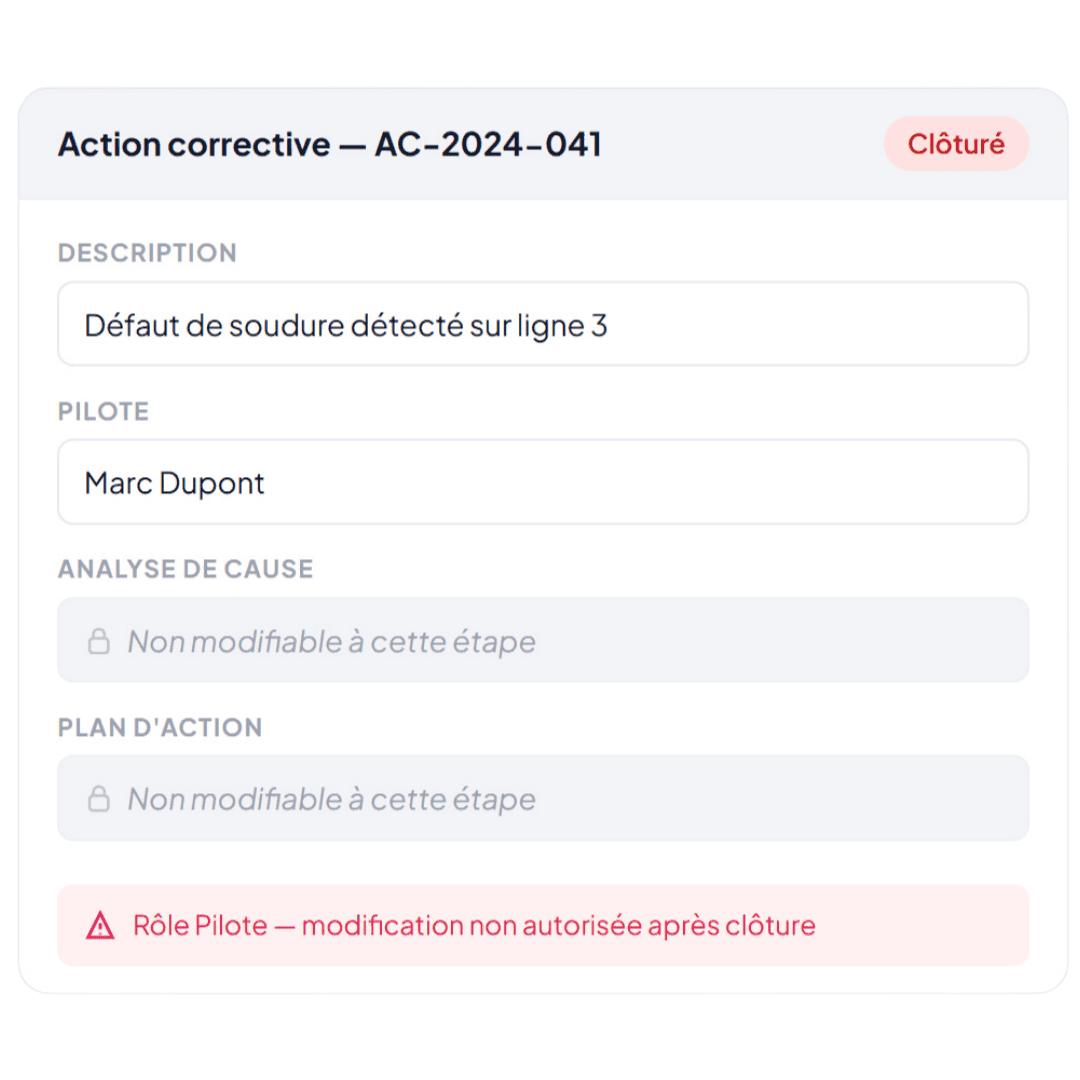
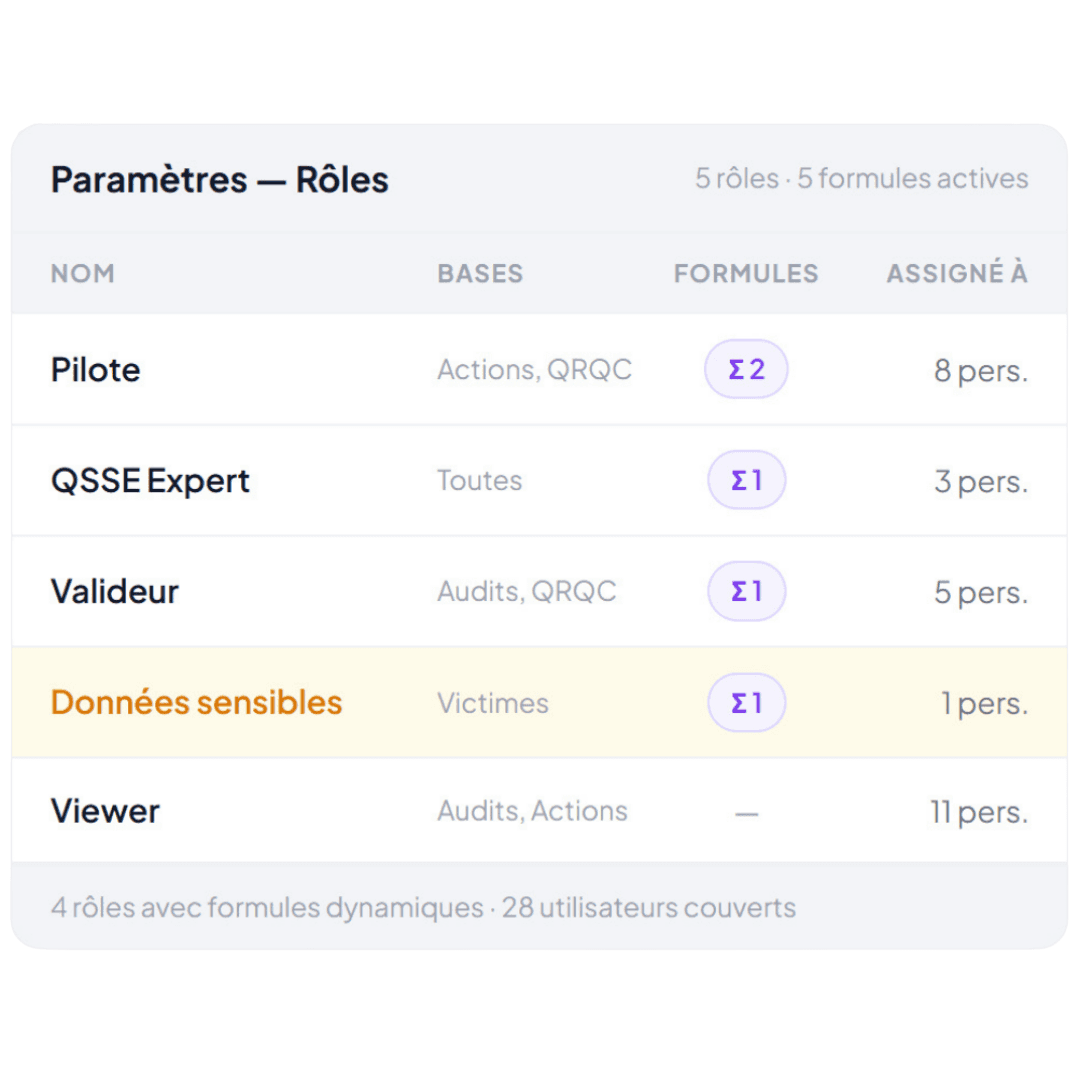
Configure what each role can access — with simple rules ("this role has access to these databases") or conditional formulas ("these roles can edit their assigned declarations in draft, but can only read them once validated").
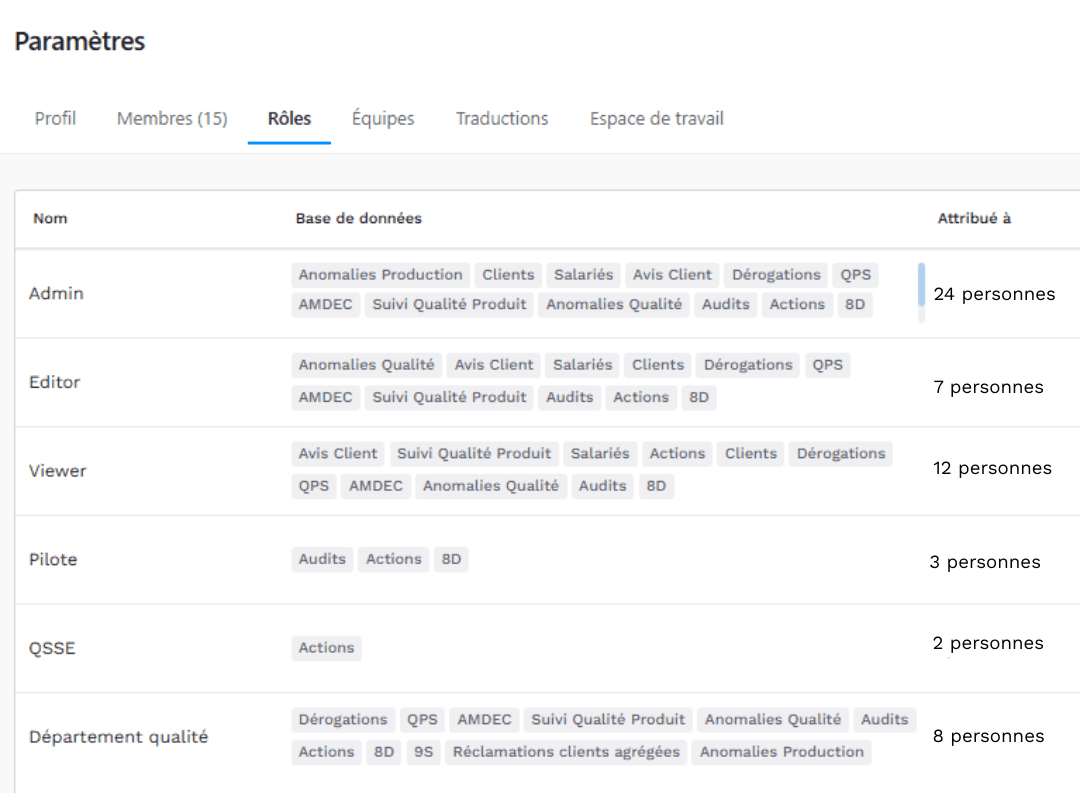
management of dynamic roles and permissions in yxir
  • comment in yxir
  • comment in yxir
  • comment in yxir
  • comment in yxir
  • comment in yxir

Collaborate directly within records

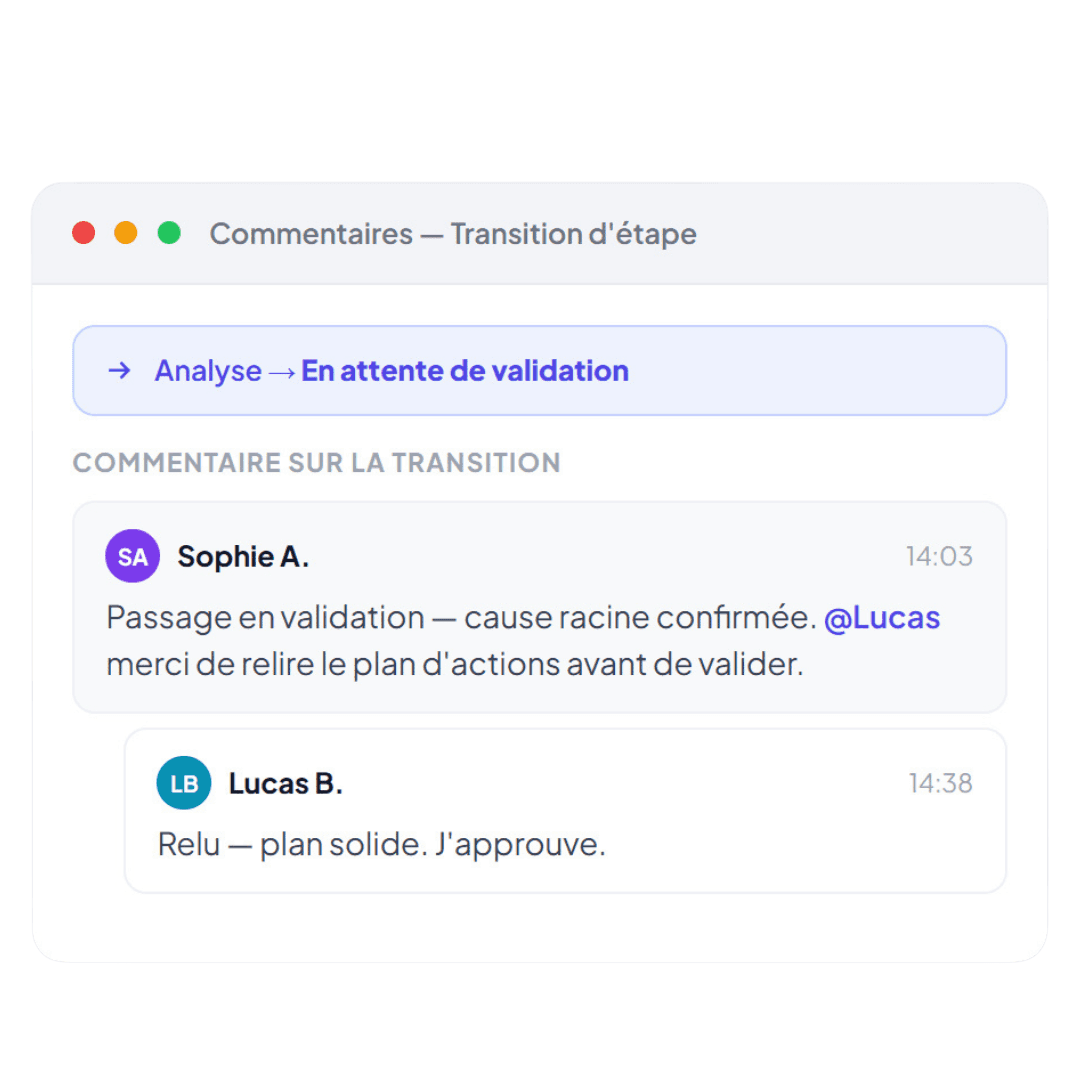
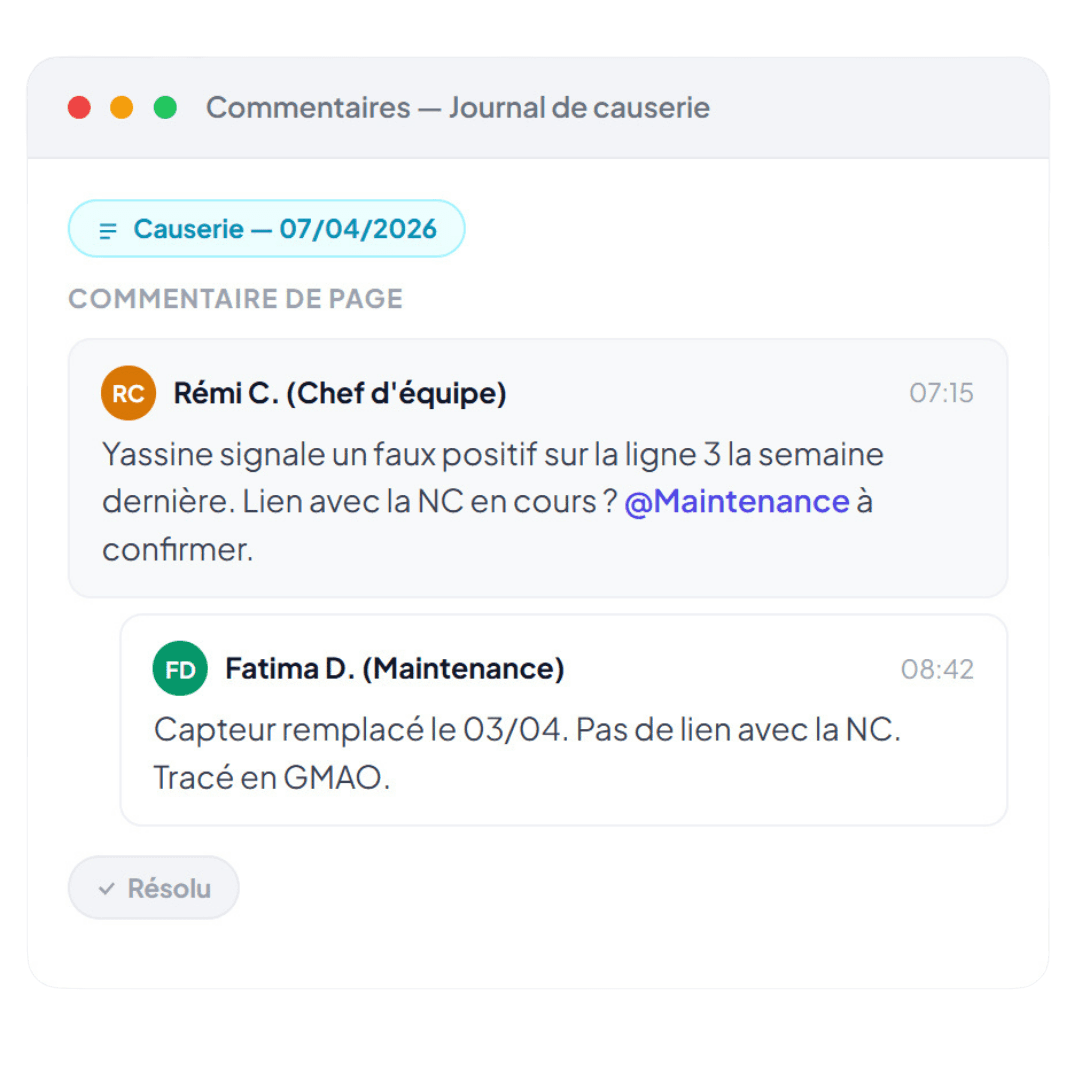
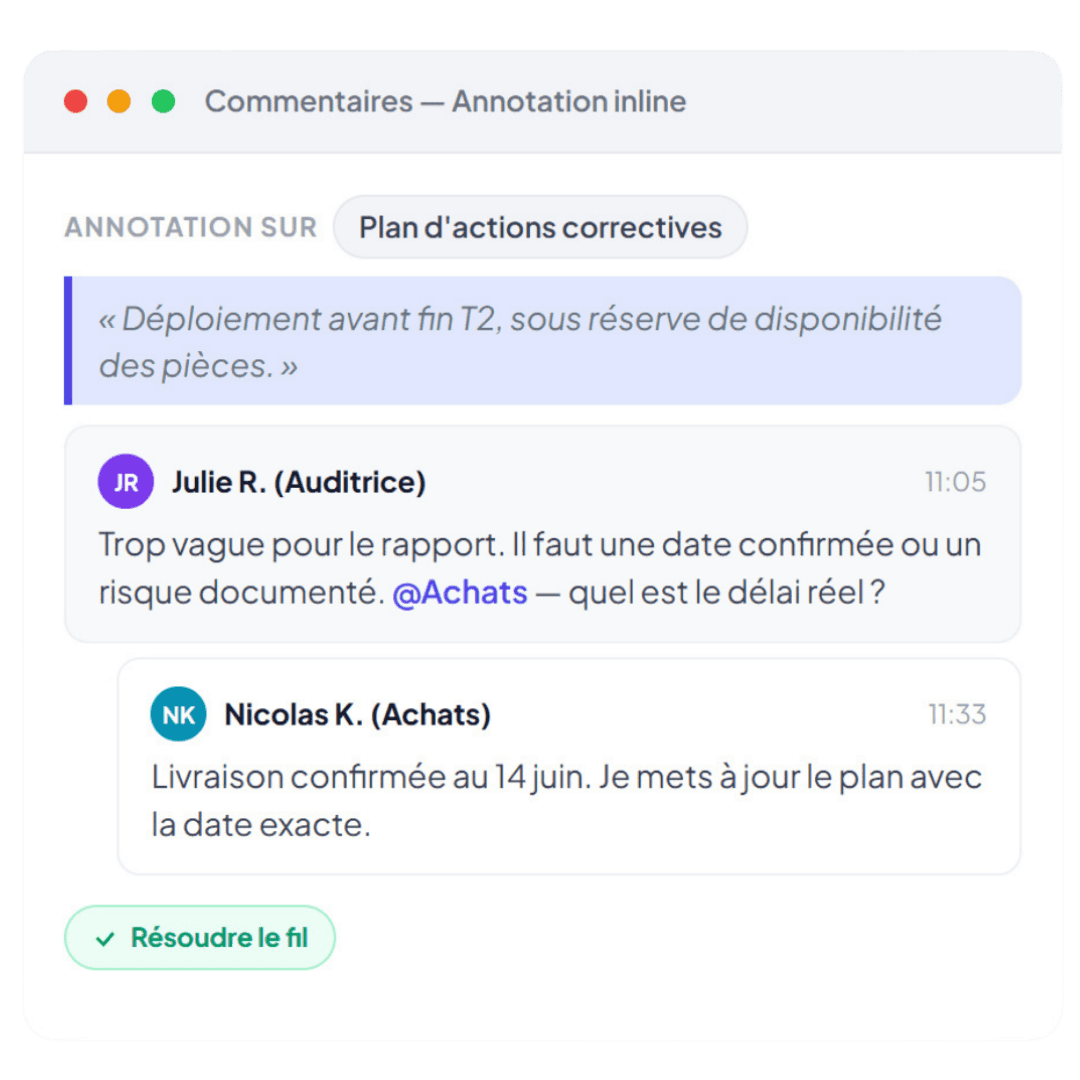
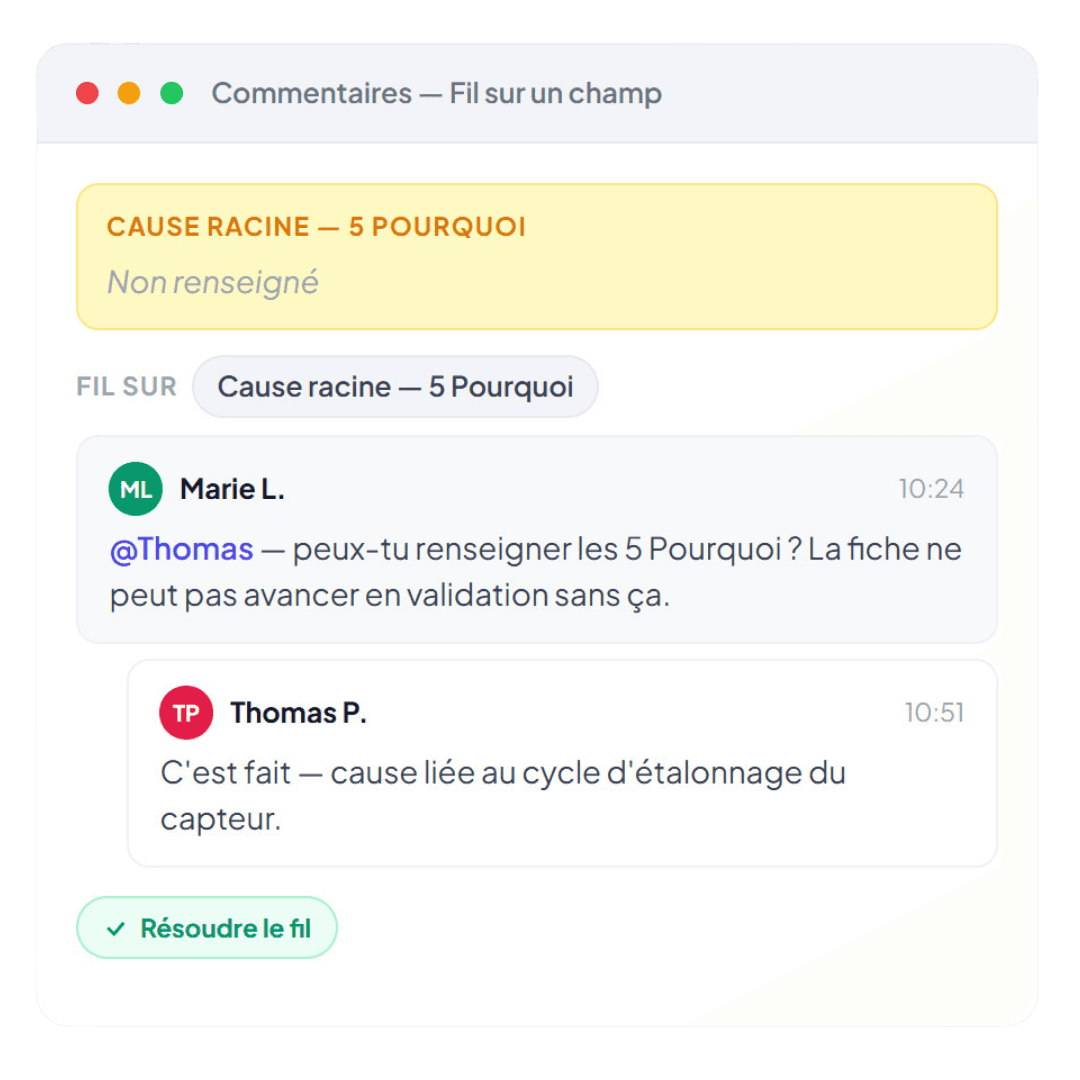
Comment on the entire record, on a specific property, or on a precise passage of text. Mention the relevant people, who receive a notification. Exchanges stay attached to the record, visible to the team, and retrievable in the history.

Model your sites, services and teams directly in Yxir

Create a team structure that reflects your real organisation (sites, workshops, departments). When a member joins a team, they automatically inherit the role configured for that team. Team leads manage arrivals and departures within their scope, independently.
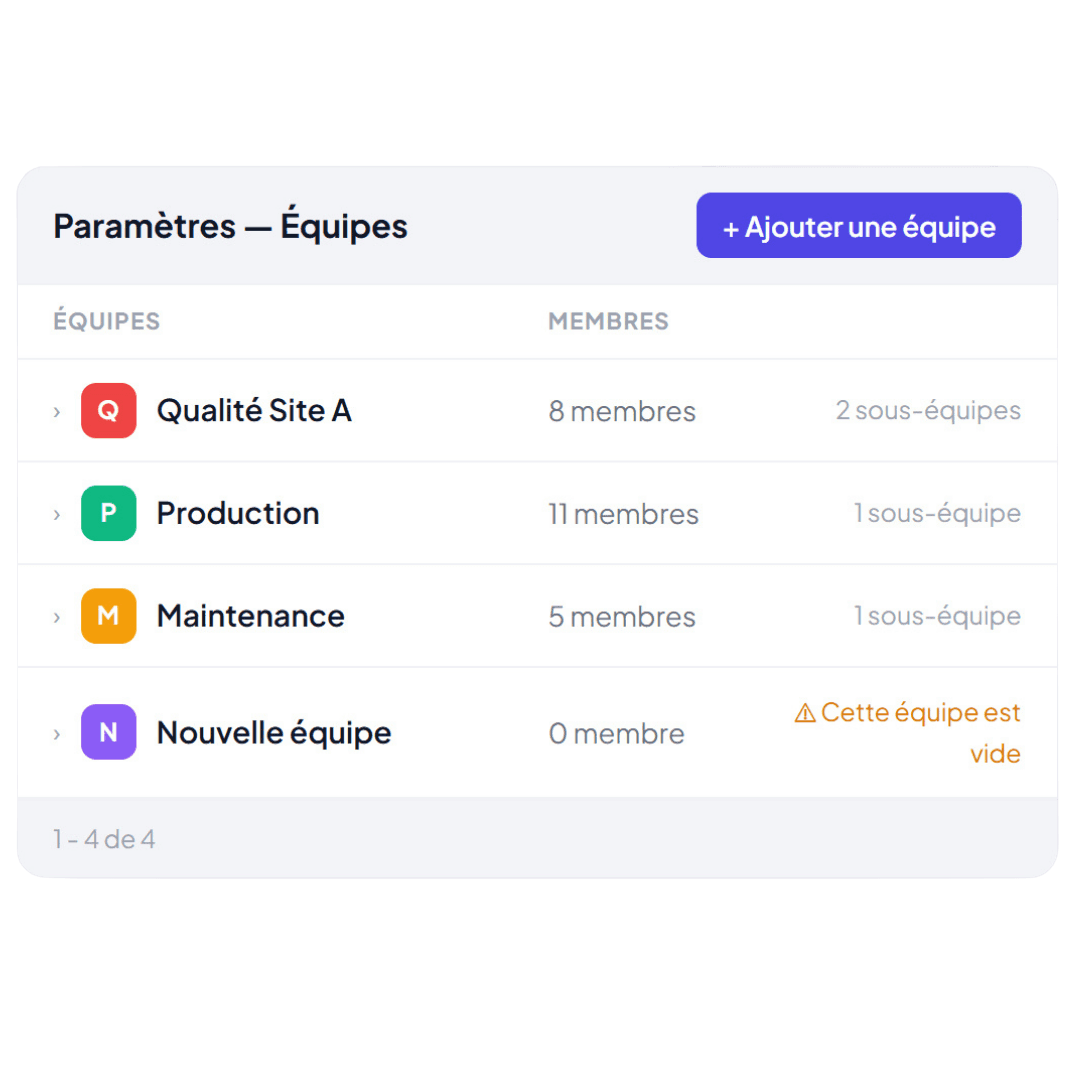
management of dynamic teams in yxir

How our clients collaborate in Yxir
  • The process respects itself, at every stage

    In multi-step processes, editing rights should change according to the stage.

    Currently, there is nothing to prevent a contributor from modifying a record after their stage has finished, without anyone knowing.

    In Yxir, you can set a condition on the "Edit" permission based on the role and the stage of the process: as soon as the stage changes, the system automatically locks itself, without any reminders or user monitoring.

    AI guidance for drafting an NCR
  • Sensitive data remains confidential, automatically

    Some databases contain sensitive information that should only be accessible to the people directly concerned.

    Today, either everyone accesses it, or no one does.

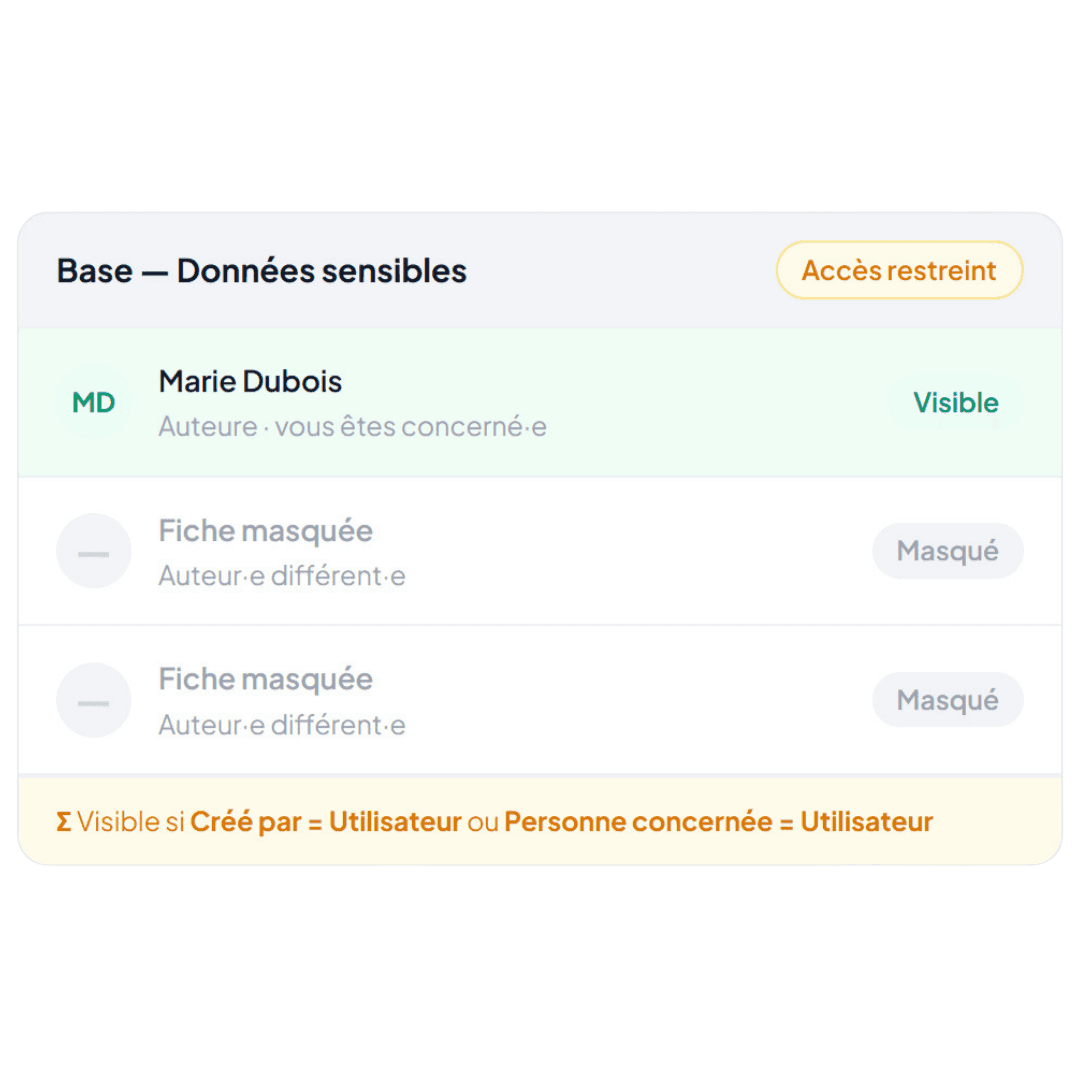
    In Yxir, you can link the "Read" permission so that it is conditional on the relationship between the user and the record. Compliance is enforced by the system, not by an access list that must be maintained manually.

    AI guidance for drafting an NCR
  • Replace email exchanges with in-context collaboration

    Discussions about a card take place outside Yxir, by email, phone, or in the hallways.

    The card shows the result, never the discussion that led to it. Decisions remain in mailboxes that auditors cannot access.

    In Yxir, team members exchange directly on the card by mentioning their colleagues and sharing context. All exchanges remain anchored to the page: visible to the team, traceable for audits, and available for later reference.

    AI guidance for drafting an NCR
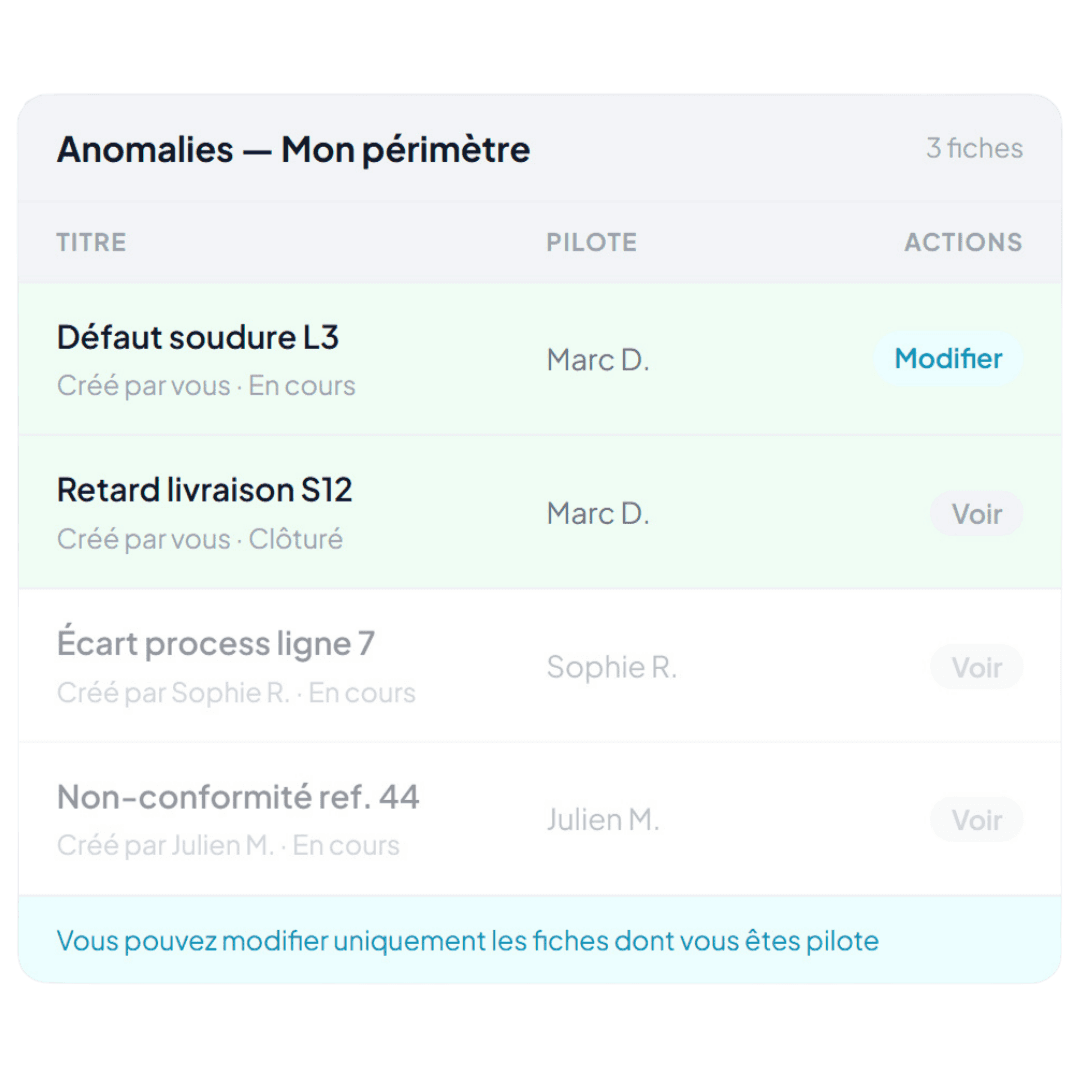
  • Each user acts (and sees) solely within their own scope

    In collaborative processes, each contributor should only edit their own records. Without this, the risk of error or out-of-scope access is permanent.

    Furthermore, teams can drown in information if they have access to the entirety of the company's work. Everything would be lost, mixed up.

    In Yxir, you can associate permissions, such as "Edit" and "Read" with a condition specific to the user, their role, and their relationship to the visited page (author, contributor...). This includes access to read and write comments on the page in question.

    AI guidance for drafting an NCR
  • Processes and their rules hold firm even when the organisation evolves

    Teams move, roles change, and that's normal.

    But maintaining permissions manually with each change creates a permanent administrative burden and unavoidable inconsistencies.

    In Yxir, rules are configured once on roles. They apply automatically to all users, on all files, at all stages, without administrative intervention for every team movement.

    AI guidance for drafting an NCR
  • The process enforces itself — at every step

    In multi-step processes, editing rights should change according to the current step. As things stand, nothing prevents a contributor from modifying a record after their step is complete — with nobody aware of it. In Yxir, you can set a condition on the "Edit" permission based on role and process step: as soon as the step changes, the system locks automatically — no reminders, no user surveillance needed.

    AI guidance for drafting an NCR
  • Sensitive data stays confidential, automatically

    Some databases contain sensitive information that should only be accessible to the directly concerned parties. Today, it's all or nothing. In Yxir, you can tie the "Read" permission to the relationship between the user and the record. Compliance is enforced by the system — not by an access list someone has to maintain manually.

    AI guidance for drafting an NCR
  • Replace email threads with in-context collaboration

    Discussions about a record happen outside Yxir — by email, phone, in the corridor. The record shows the outcome, never the discussion that led to it. Decisions stay in inboxes that auditors can't access. In Yxir, team members exchange directly on the record, mentioning colleagues and sharing context. All exchanges stay anchored to the page: visible to the team, traceable for audits, and retrievable later.

    AI guidance for drafting an NCR
  • Each user acts (and sees) only within their own scope

    In collaborative processes, each contributor should only be able to modify their own records. Without this, the risk of errors or out-of-scope access is constant. Teams can also be overwhelmed if they can see the entirety of the company's work — everything gets lost and mixed together. In Yxir, you can associate permissions such as "Edit" and "Read" with a condition specific to the user, their role, and their relationship to the record being viewed (author, contributor, etc.). This includes read and write access for comments on the relevant record.

    AI guidance for drafting an NCR
  • Processes and their rules hold — even as the organisation evolves

    Teams move, roles change — and that's normal. But keeping rights up to date manually with every change creates a permanent admin burden and inevitable inconsistencies. In Yxir, rules are configured once on roles. They apply automatically to all users, on all records, at every step — with no admin intervention required for every team change.

    AI guidance for drafting an NCR

We took someone who is a novice in SAP and Excel and who found the software intuitive, and they were really able to fill it out easily.

That is important too. And that is important for flagging weak signals.

Engineering Office Manager

Industrial, Production & Engineering Company

PDF reports slow down and complexify your quality process

Protect sensitive data

Set up rules to automatically hide certain fields depending on the role and context: culprits, names, costs...

Comments also respect permissions, you can only comment on what you can see.

Avoid loss of information

An email that gets lost in the crowd, a call that is not transcribed, or a task without an owner: without context, information gets lost.

Communicate directly in Yxir on the relevant item. Each exchange is contextualised and logged.

Frame all decisions

Without traceability, history disappears along with the memory of your teams: trying to find the context of a past decision to defend it in an audit is a lost cause.

By centralising discussions, you keep a tracked history that is accessible at any time.
FAQ

Frequently asked questions

If you don't find your answer, contact us!

Do dynamic permissions replace basic permissions?

Who can view comments on a record?

What happens if a permission rule is invalid?

How can I avoid being inundated with comment notifications?

Do permissions take effect immediately when a record changes stage?

Can you find resolved comments?

Can you comment on a specific property or just on the page?

Do permissions work with the Yxir API?

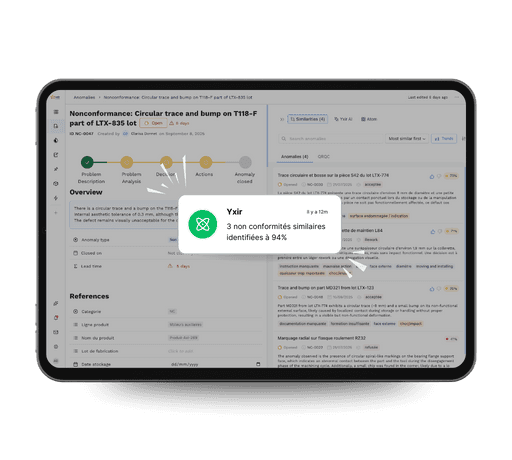
Yxir application screen with notification of similar non-conformities detection, illustrating the platform's added value

Discover Yxir in action on your quality challenges

Book a personalized demo and discover how our industry-focused platform reduces your non-conformances, speeds up your resolutions and improves your performance indicators.

Discover Yxir in action on your quality challenges

Book a personalized demo and discover how our industry-focused platform reduces your non-conformances, speeds up your resolutions and improves your performance indicators.

Discover Yxir in action on your quality challenges

Book a personalized demo and discover how our industry-focused platform reduces your non-conformances, speeds up your resolutions and improves your performance indicators.